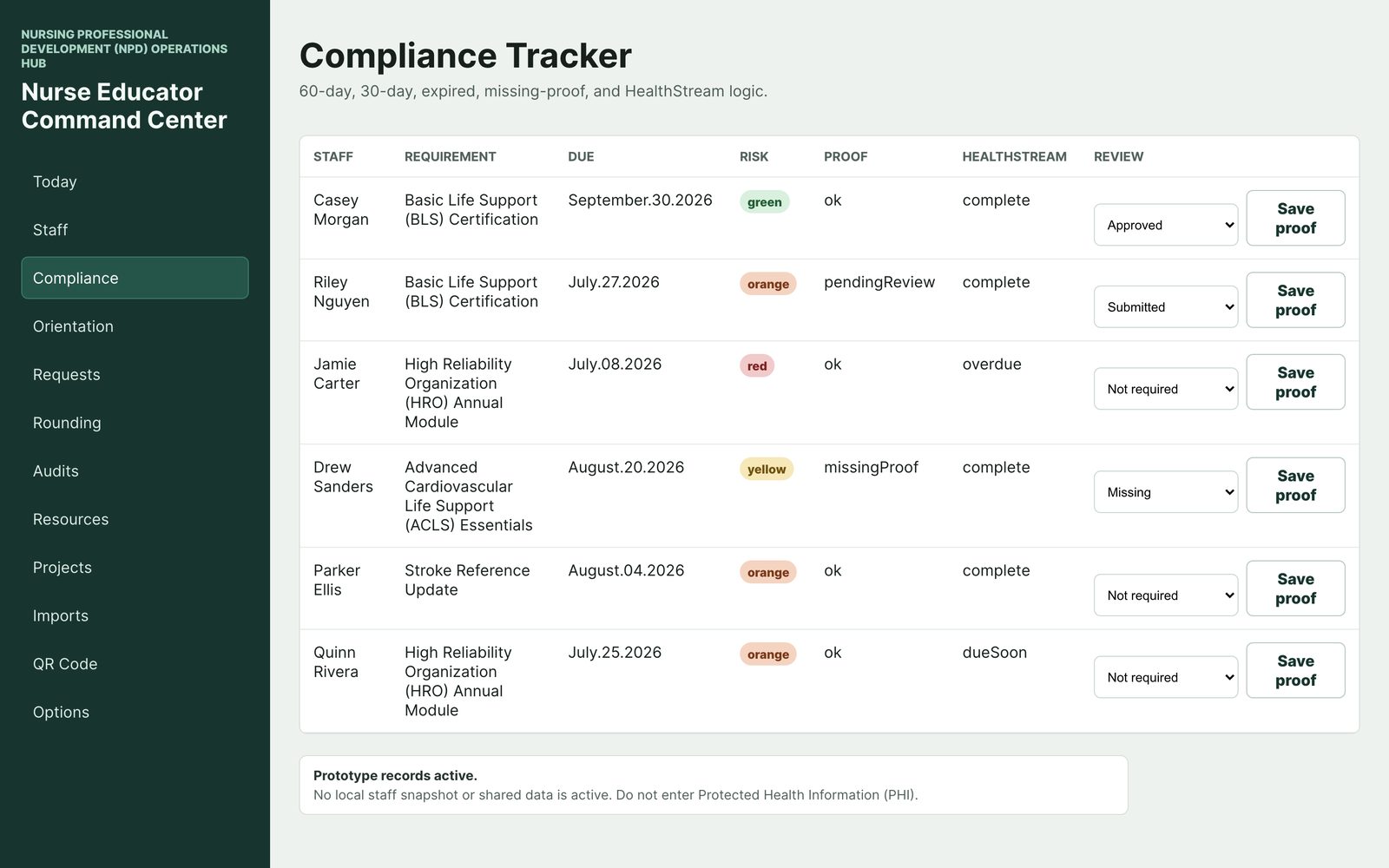
Compliance Tracker
Every requirement with its due date, risk level, and proof status — 60-day, 30-day, expired, and missing-proof logic, next to each person's LMS completion state. Nothing expires silently.
Compliance follow-ups, orientation, rounding, education requests, governance evidence — the job scatters across spreadsheets, binders, and five different systems. Nurse Educator Command Center pulls the operations of staff education into one calm command center, and keeps staff data on your device.
One educator often covers a hundred or more staff. Certifications and annual education roll due every month. Orientees move through phases on different units with different preceptors. Requests arrive in the hallway, mid-huddle, by email, and on sticky notes.
The tools weren't built for this. The LMS knows who finished a module — not what you still have to chase, or the proof you're holding. Scheduling lives in another system. So the real operation ends up in spreadsheets, binders, and your head.
That system works until it doesn't — usually the week before an audit, a survey visit, or your own vacation.
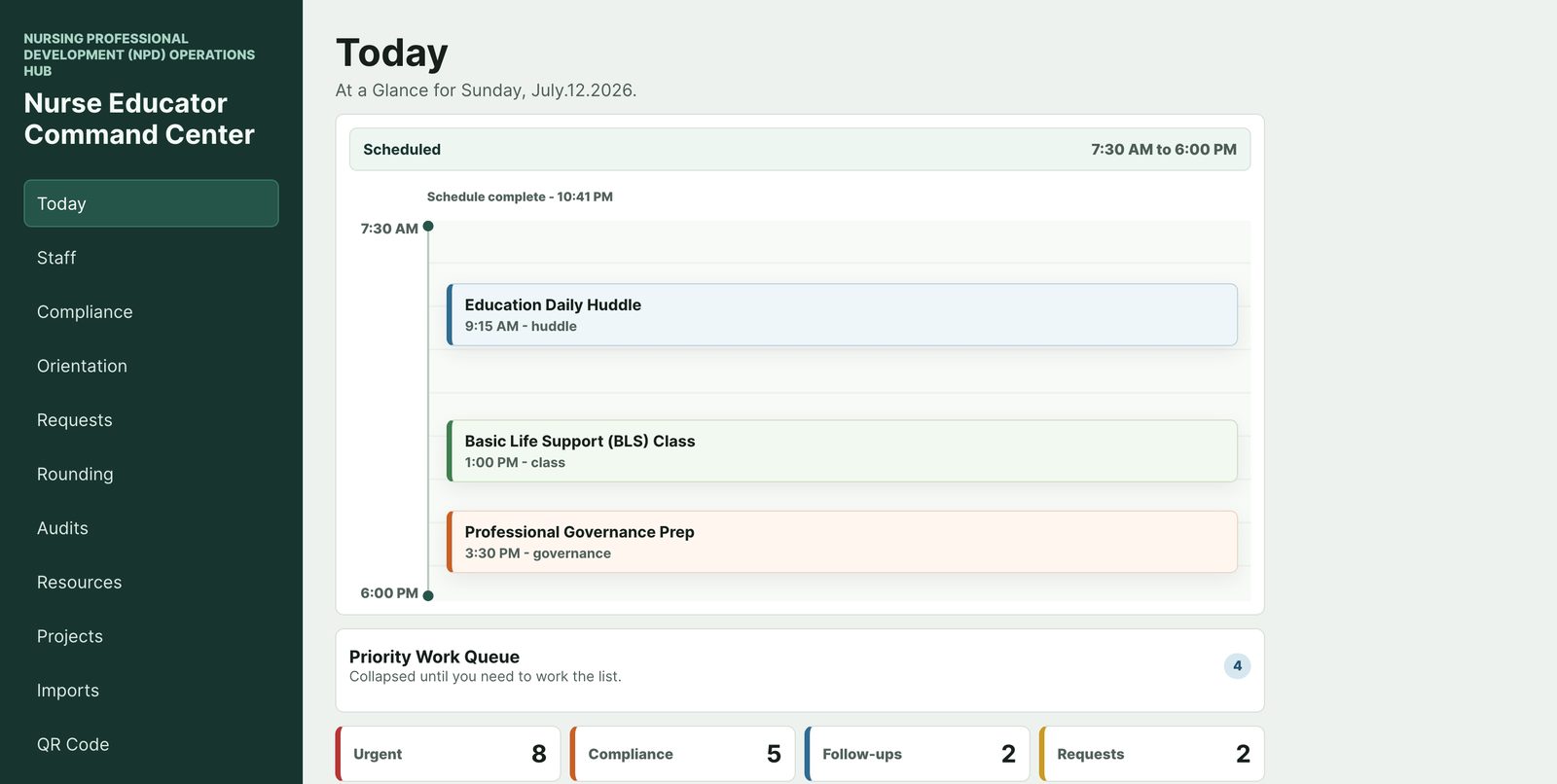
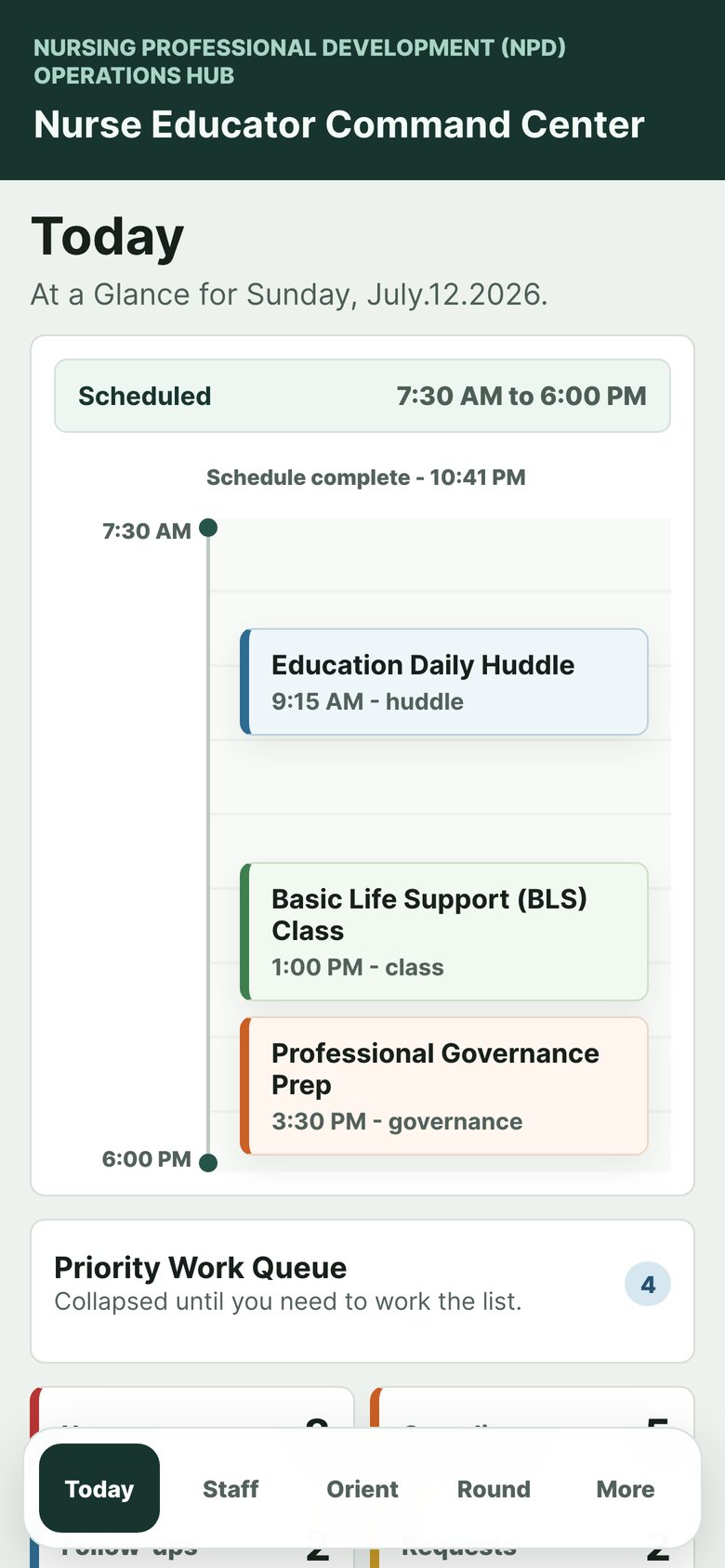
One screen shows your schedule, a priority work queue, and live counts — urgent items, compliance follow-ups, requests waiting. No mental reassembly required.
Compliance, Orientation, Requests, and Rounding each keep their own list, so every follow-up has one home — with due-date and risk logic doing the remembering.
Rounding coverage, education request trends, and governance project milestones accumulate as you work — so evidence exists before anyone asks for it.
Twelve working views, built around the actual job. Six of them, up close:
Every requirement with its due date, risk level, and proof status — 60-day, 30-day, expired, and missing-proof logic, next to each person's LMS completion state. Nothing expires silently.
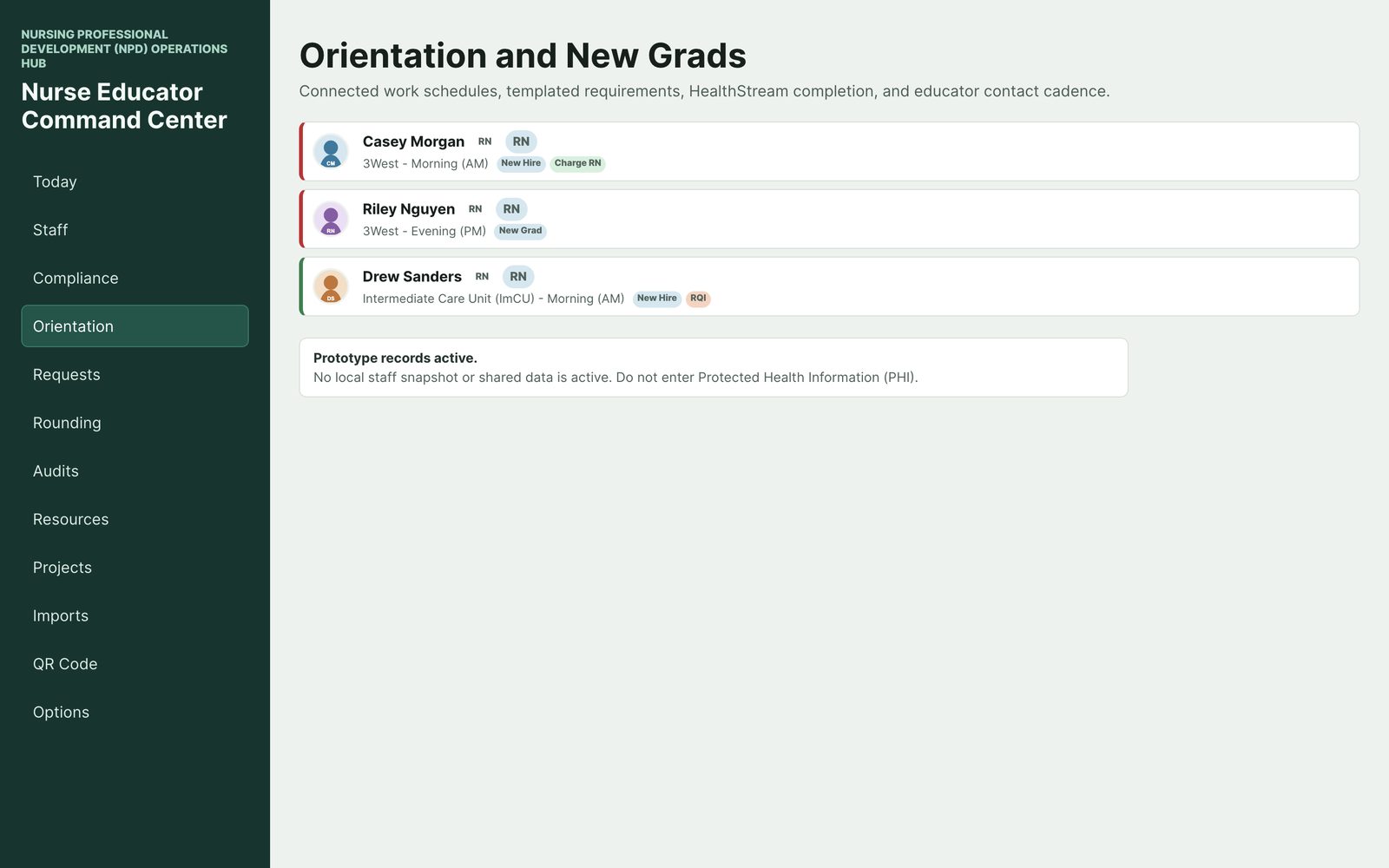
Each orientee with their unit, shift, and tags like New Grad or New Hire — connected to work schedules, templated requirements, and your contact cadence.
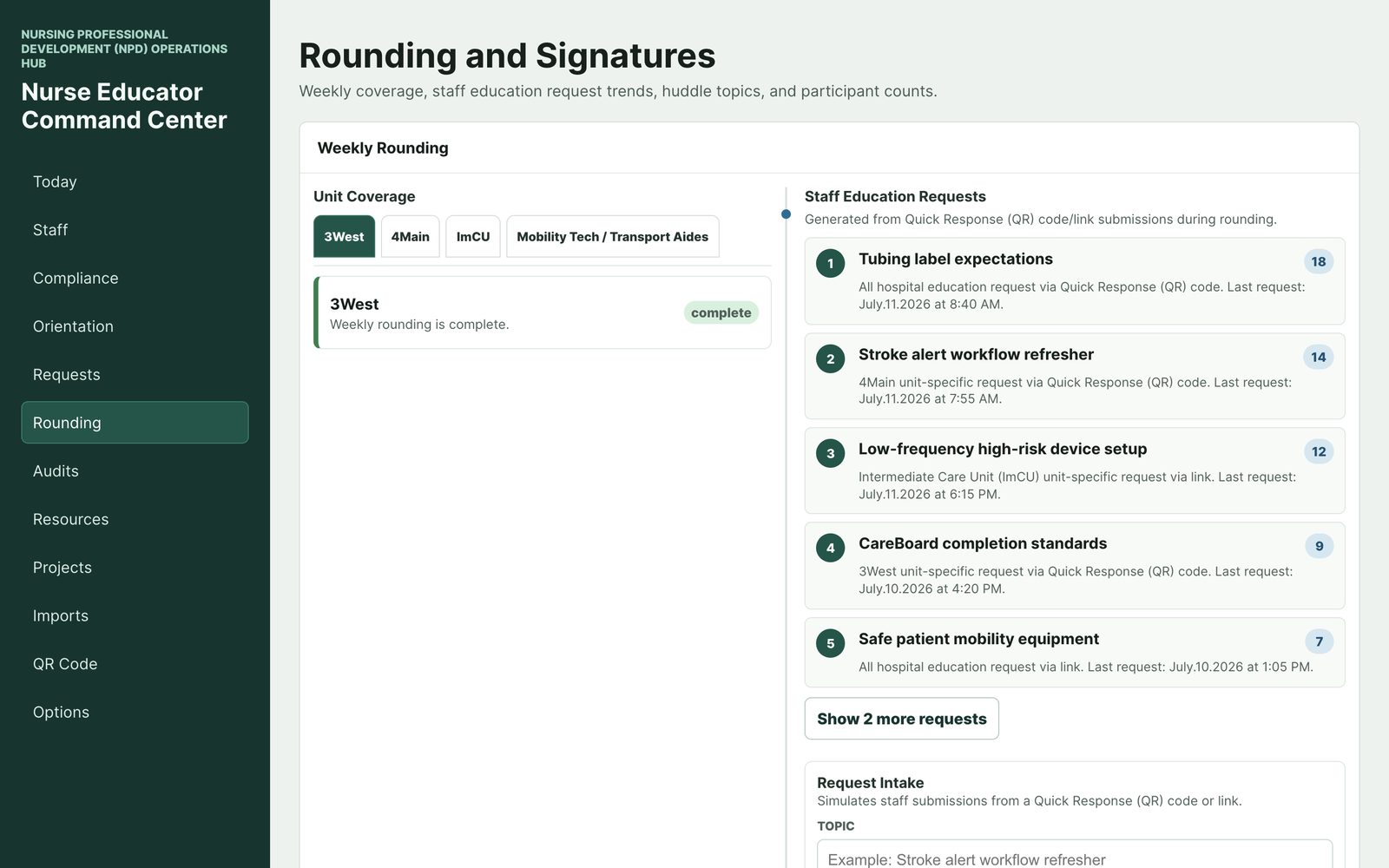
Weekly unit coverage at a glance, plus what staff are actually asking for — education requests ranked by volume, per unit, with timestamps.
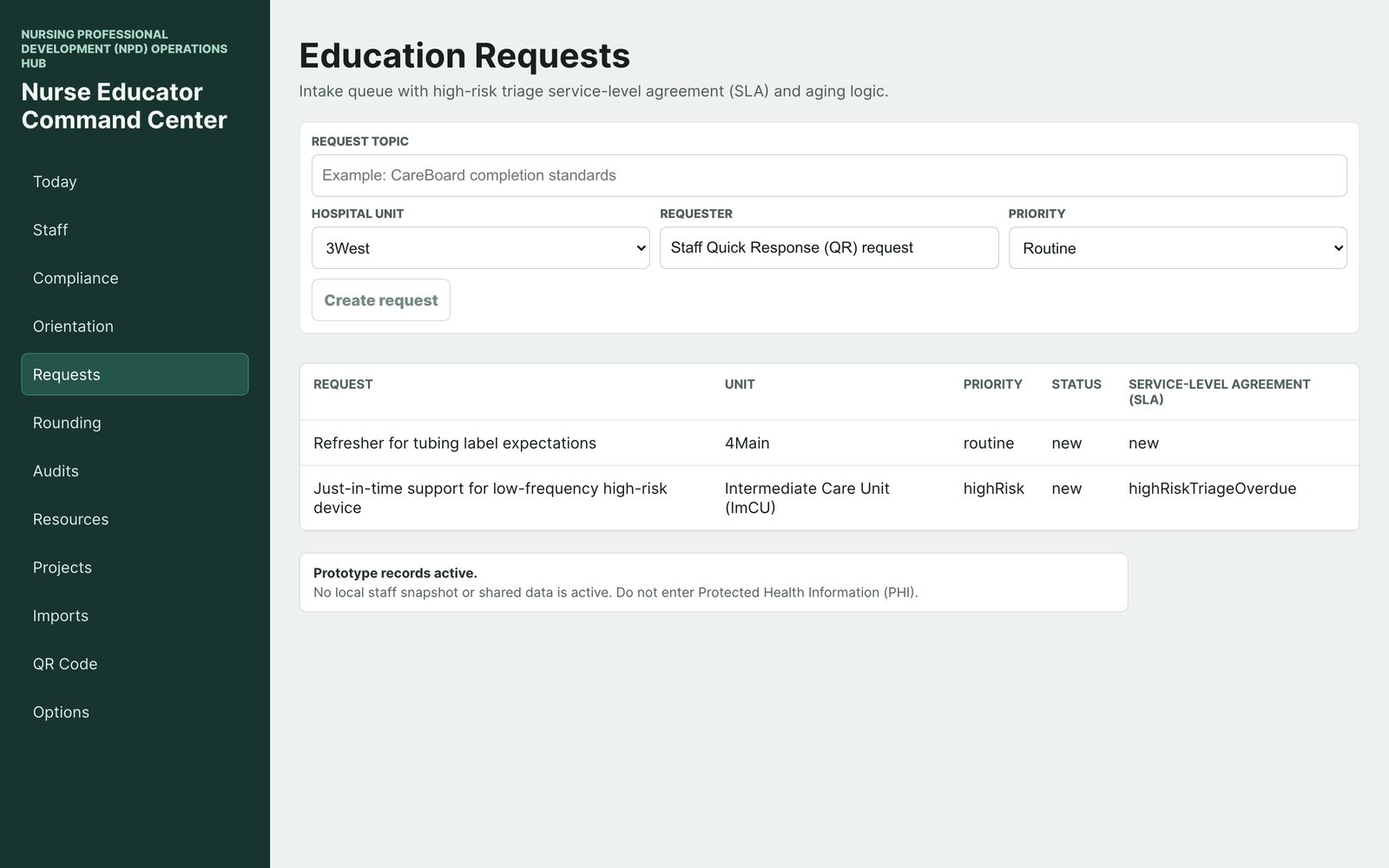
An intake queue with priority, status, and aging logic — so the hallway ask from Tuesday doesn't evaporate by Friday.
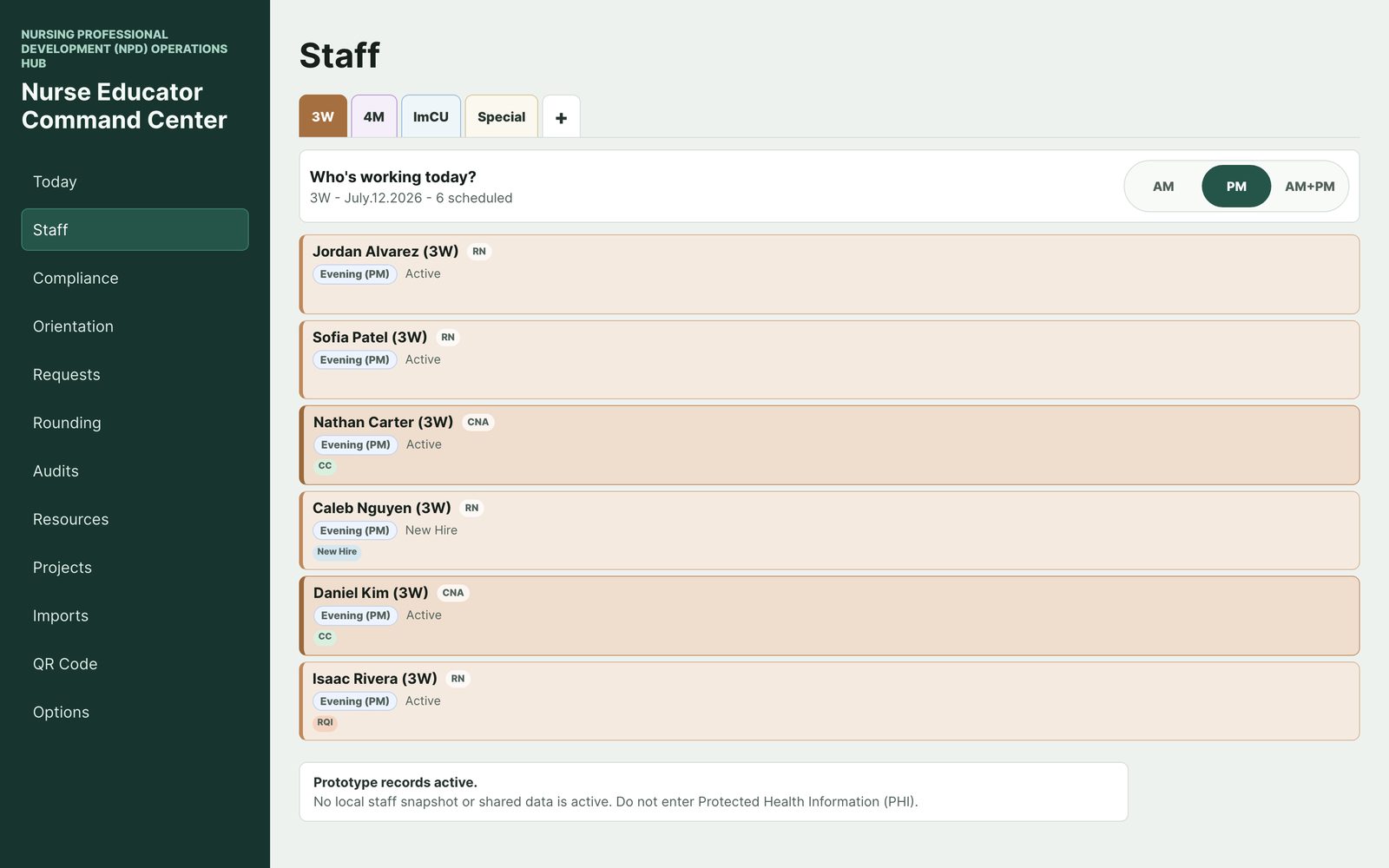
Who's working today, AM or PM, with role and precept tags — so you can time education to when people are actually on.
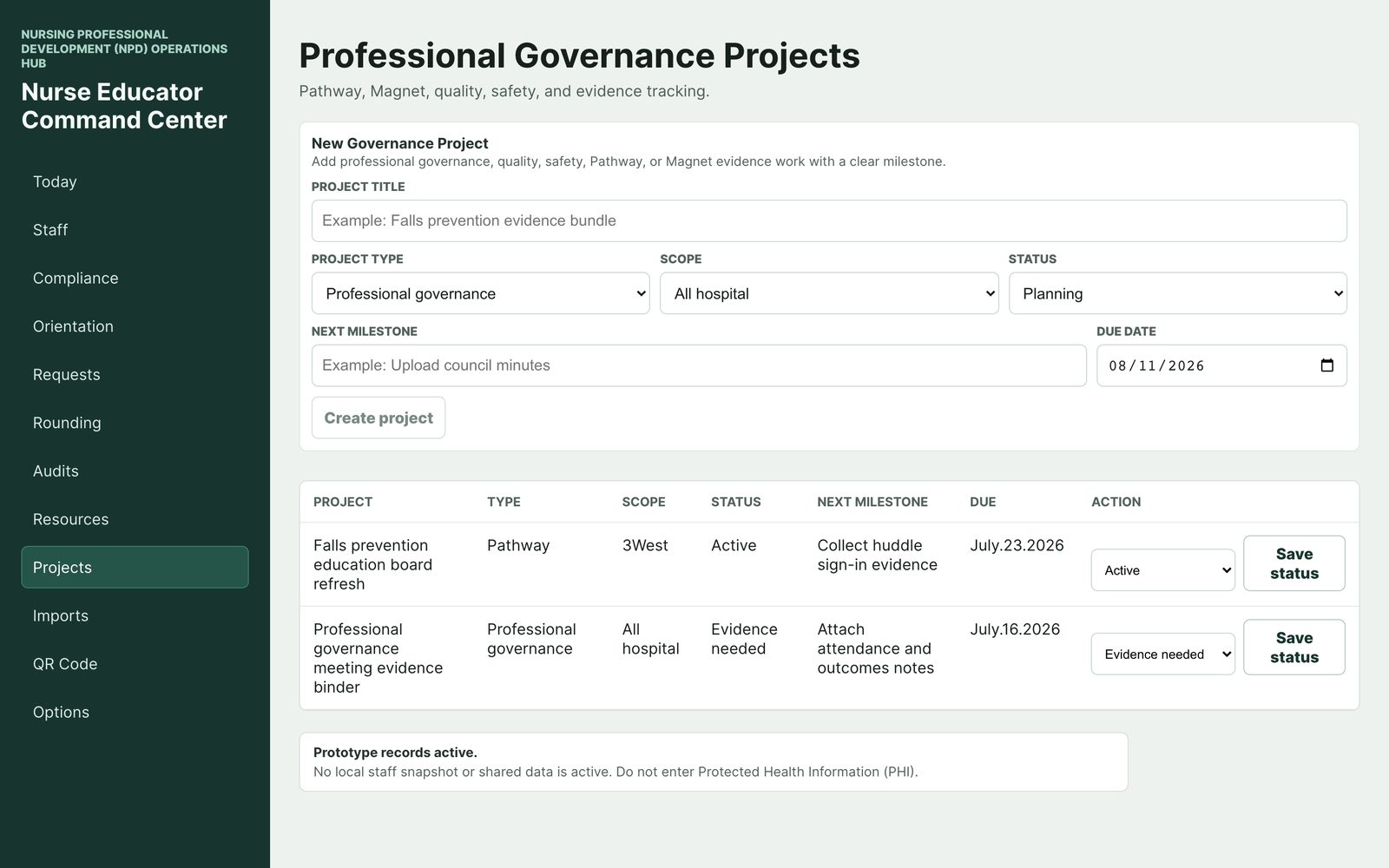
Pathway, Magnet, quality, and safety work tracked with milestones and due dates — evidence collected as you go.
Also inside: room audits, a resource toolkit, local imports and reconciliation, and a dark mode for night-shift rounds.
This is the part most apps get wrong, so it's designed in from the start: Nurse Educator Command Center is local-first. Your working records live on your device — not on someone else's server.
On the iPhone and iPad app, staff-linked records are encrypted on device (AES-GCM with a key held in the device Keychain), excluded from backups, and locked behind Face ID, Touch ID, or your passcode.
Your hospital's systems stay the source of truth. HealthStream still owns assigned learning, your scheduling system still owns the schedule, HR still owns employment records. The app works from exported files you choose to import — as local snapshots for your own reconciliation. It doesn't connect to hospital systems, and nothing writes back.
No patient information, ever — the app is built for education operations and is designed to keep that category of data out: no patient fields anywhere in the workflow, imports restricted to approved staff-roster columns, and the rule stated in the app itself. And there are no ads, no analytics, and no tracking code.
The boundary in one sentence: it's your personal operations layer alongside the systems of record — not a replacement for them, and not a data warehouse.
The day doesn't happen at your desk. On iPhone, the command center rides along on rounds — Today, Staff, Orientation, and Rounding one thumb-tap away. On iPad, it's your huddle board. On the web, it's your desk view.
Written from practice — useful with or without the app.
How to stay organized as a nurse educator
A real system for a role with five jobs: the daily command habit, four queues, and a spreadsheet stack that doesn't collapse.
How to track staff education compliance
The fields, the 60/30-day risk ladder, and the follow-up loop that keeps certifications from expiring silently.
New nurse orientation tracking
Keeping six orientees straight across units, preceptors, and phases — week by week.
Nurse educator rounding
Not patient rounding: a simple weekly system for unit education rounds, coverage, and capturing what staff ask for.
Your first 90 days as a hospital nurse educator
A week-banded plan for the new educator: map the landscape, baseline the risk, install your cadences.
A command-center app for hospital nurse educators and NPD practitioners. It organizes the operations of staff education — compliance follow-ups, orientation, rounding, education requests, room audits, and governance projects — in one place, with a Today screen that shows what the day requires.
Unit-based educators, clinical nurse educators, NPD practitioners and specialists, and educator teams in hospitals and health systems. It's built by a practicing RN clinical educator around that exact workload. It is not built for academic faculty course management.
Not yet. The app is in private beta on iPhone and iPad via TestFlight, in active development. The early-access list is how you hear first about any expansion of beta testing and about launch.
No, and it's not trying to. Your LMS remains the system of record for assigned learning. The app is your personal operations layer on top: what to chase, who's at risk, what proof you hold, what today looks like.
No. There's no integration and no hospital IT project. You can import exported files (like a staff roster spreadsheet or a schedule export) as local snapshots on your device, and nothing writes back to any hospital system.
On your device. On iPhone and iPad, staff-linked records are encrypted on device and locked behind Face ID, Touch ID, or your passcode, and they're excluded from backups. The web version blocks real staff file imports entirely — it demonstrates with synthetic data.
No. The app is for education operations and is designed to keep protected health information out. No patient names, no medical record numbers, no chart details.
Pricing isn't final while the app is in beta. The early-access list hears first, including any early-supporter arrangement.
Rich Vaughn, a practicing RN clinical educator in California, through Vaughn NextGen Education LLC — the same developer behind Chest Tube Simulator, Phlebotomy Toolkit, and VitalSim Rhythm.
More about the developer at yourfriendrich.com
Nurse Educator Command Center is in private beta. Join the early-access list and you'll be first to hear any news — expanded beta testing, launch, early-supporter details. Nothing else, no newsletter tricks.
No spam. One-topic list: this app.